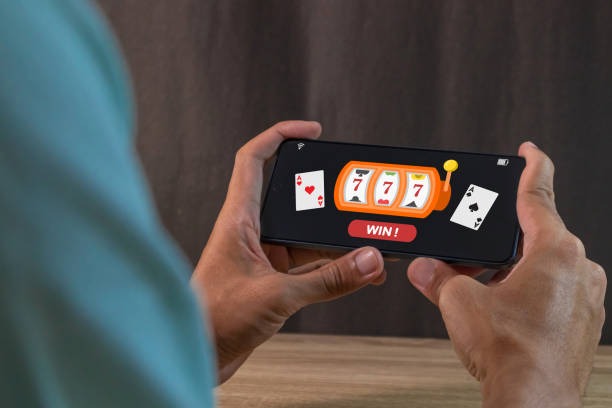
Mobile access options for furla77
We offer three ways to access furla77 on mobile. Our native Android APK (app package) installs directly on Android devices and provides offline caching, push notifications for live-dealer game starts, and optimized performance. Our iOS users can access furla77 via mobile Safari or Chrome browser without installing an app; the experience is nearly identical to our Android app, with responsive design and full feature parity. Users who prefer a web-only experience on any device can use our mobile-optimized website in any browser.
Each access method has strengths. The Android APK loads faster on repeat visits thanks to local caching, sends push notifications when your favorite tables go live, and uses slightly less bandwidth over time. The iOS browser and web access require no installation, no permission grants, and work immediately after you open the link. All three methods sync your account, balance, and betting history in real time, so you can start a sportsbook bet on web, switch to the Android app to watch Liga 1 coverage, and close your bets on iOS browser without any friction.

Why mobile-first for furla77
Live-dealer games and sportsbook betting work best when you can access them anytime, anywhere. Our mobile version streams live tables with minimal latency and loads sportsbook odds within seconds, even on 4G networks. You can place bets during Liga 1 matches in Jakarta, Surabaya, Bandung, and other cities without waiting for a desktop to boot up.
Mobile deposits via DANA, e-wallet, and mobile banking complete in seconds on furla77. You can also receive push notifications when a new blackjack or Dragon Tiger table becomes available, so you never miss peak-hours games.
How to install furla77 on Android
-
Download the furla77 APK file
Visit our website on your Android device and tap the Android download link to save the APK.
-
Enable Unknown Sources in Security settings
Go to Settings > Security > Unknown Sources and toggle ON to allow installation from sources outside Google Play.
-
Locate and tap the APK file to install
Open your Downloads folder, find the furla77 APK, and tap it to begin installation.
-
Launch the app and log in or register
Once installed, open furla77, enter your credentials, and start accessing live-dealer tables and sportsbook markets immediately.
App vs. browser: which is better for furla77
The furla77 Android app excels at speed and offline features. Because the app caches game assets locally, live-dealer tables load faster on repeat visits—especially important during peak hours when Liga 1 matches or Piala Indonesia tournaments drive heavy traffic. The app also sends push notifications when your favorite studio (e.g., blackjack or Dragon Tiger) goes live, so you receive alerts even if furla77 is closed. Push notifications also alert you to sportsbook market moves, seasonal tournaments, and Idul Fitri or Idul Adha holiday specials. The app uses slightly less bandwidth over time because it does not re-download page assets on every load. On the iOS browser and web versions, each page load fetches all assets fresh, but the responsive design ensures excellent usability and fast performance on modern networks. Browser access also avoids permissions—you do not grant furla77 microphone, camera, or location access, reducing privacy concerns for some users.
Device compatibility for furla77 mobile
Our furla77 app requires Android 7.0 or later on Android devices and iOS 12 or later on iPhones and iPads. Most devices released in the past 5–7 years meet these requirements. Our mobile browser version works on any device with a modern browser (Chrome, Safari, Firefox, or Edge) regardless of OS version, so older devices can still access furla77 via web. If your device does not meet the minimum requirement for the app, the mobile website remains a fully functional alternative with no installation necessary.
Troubleshooting common installation issues on furla77
If you see "Unknown Sources" or "Install blocked" warnings during APK installation on Android, your device security settings do not allow third-party installations. Navigate to Settings > Security > Unknown Sources and toggle the switch ON. Some Android versions label this as "Install from Unknown Apps" and require you to grant the permission to your file manager app specifically. If installation still fails, check your device storage; if storage is nearly full, free up space and try again. If you see certificate or signature verification errors, your download may have been corrupted; delete the APK file, download it again, and retry. iOS users accessing furla77 via browser should ensure cookies and JavaScript are enabled in Safari settings; if pages load but buttons do not respond, clear your browser cache (Settings > Safari > Clear History and Website Data) and reload.

Data, permissions, and security on furla77 mobile
The furla77 Android app requests permissions only for essential functions: internet access to stream games and process transactions, and notification access to send you alerts about game availability and account activity. We do not request camera, microphone, location, or contacts permissions; if the app requests these, you are using an unofficial version and should uninstall it immediately. On iOS, the browser version requires no app permissions at all. We encrypt all communication between your device and our servers using HTTPS, and we do not store your password locally on your device. Your login session is encrypted and tied to your device; if someone gains access to your phone, they would need your unlock PIN or fingerprint to access furla77 (assuming you have lock-screen security enabled). When you log out or uninstall the furla77 app, all session data is cleared immediately. Your account data (betting history, balance, personal info) is stored on our secure servers, not on your device.
Mobile deposit and withdrawal on furla77
- local payment, online payment, and e-wallet deposits settle in seconds within furla77
- mobile banking and local payment also supported for quick mobile funding
- online payment deposits are instant and available on most Android and iOS wallets
- Withdrawals to your original payment method process within one business day
- Bank transfers (e-wallet, mobile banking, local payment, online payment) also work on mobile for deposits and cash-outs